
Online embroidery software features
From the first name to your shop’s finances: here’s everything included in a Meus Bordados subscription. Every feature is in every plan.
New · Artificial intelligence
From photo to embroidery, with help from AI
Send the photo of the pet, the person or that blurry logo. The AI redraws it with flat colors, and Instant digitizing turns it into stitches, keeping the colors, the details and the drawing lines.
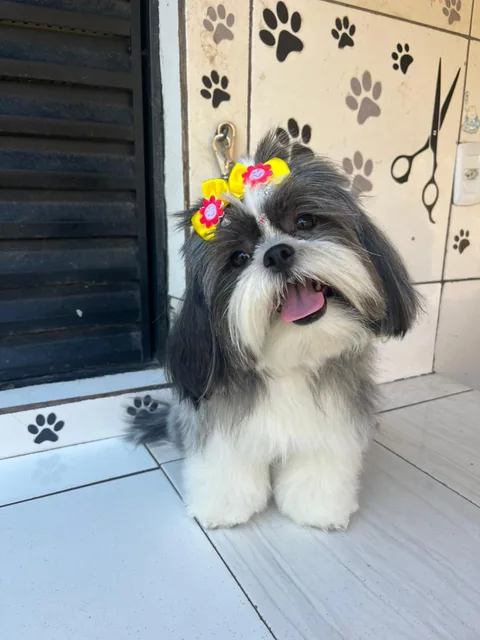
1Your customer’s photo
Just as it arrived on WhatsApp, with background, shadows and all.
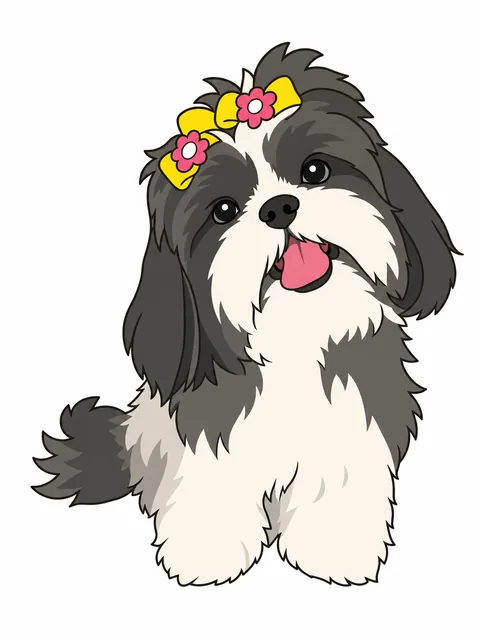
2The AI draws it
With Prepare with AI, it becomes a few-color illustration, without background, ready to stitch.
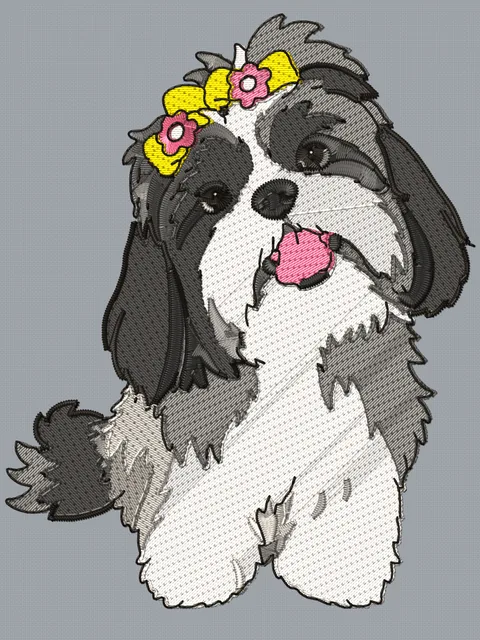
3The finished embroidery
Instant digitizing: illustration creates the stitch areas and the lines. Check it in 3D and download it for your machine.
- Works with pet photos, portraits, kids’ drawings and blurry logos
- Write what you want changed: “remove the background”, “at most 5 colors”, “red bow”
- The dark drawing lines become running stitch, and the eyes and nose stay in place
- Everything stays editable afterwards: colors, shapes and stitches
Each image generated by the AI uses 1 credit; if the AI fails, the credit comes back. Credits are bought in packs in your dashboard. Turning the image into embroidery is unlimited and included in every plan.
Complete embroidery software, nothing to install
Everything you need to create, adjust and sell custom embroidery, in a single subscription.
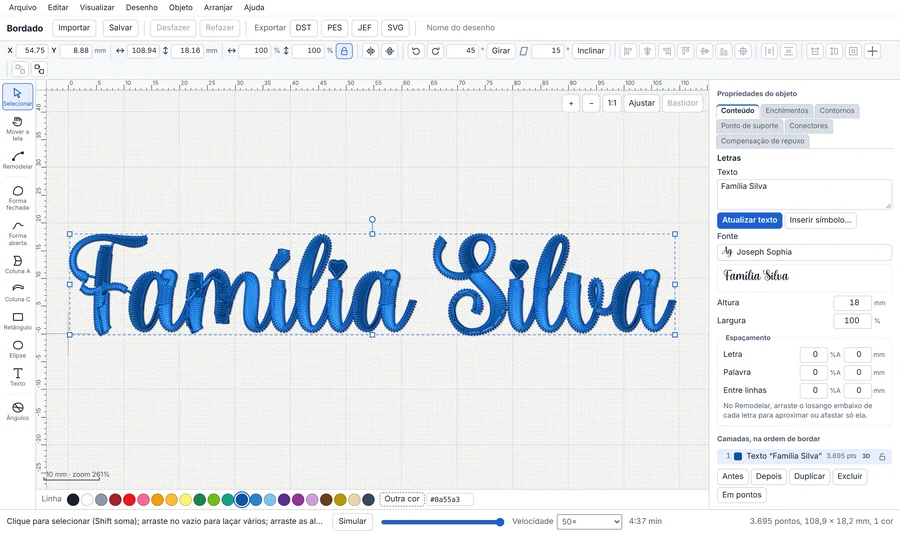
Lettering that stitches out beautifully
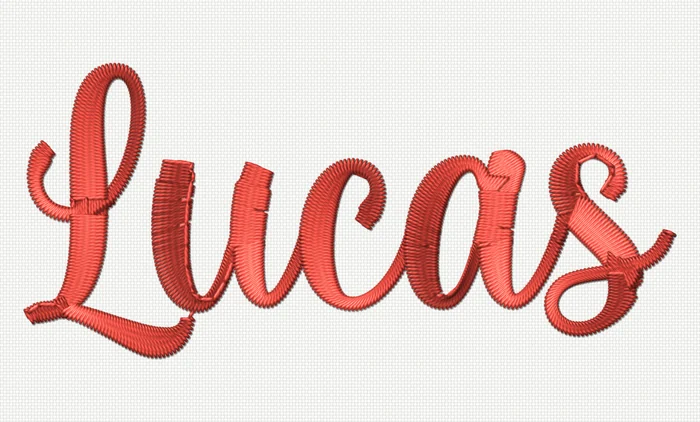
The satin stitch follows the stroke of every letter, the way professional software does. Even script fonts come out with full curves and clean joins.
- Splits long stitches automatically (7 mm by default)
- Underlay and pull compensation already set up
- Fewer trims between letters
Ready-made designs, by category and size
Open the library inside the editor, pick the design in the right size for the garment and combine it with your customer’s name. You can also import your own DST, PES and JEF files and keep your own designs.
- The same design in several sizes
- Library fonts ready to use
- Group, align and resize like desktop software
Orders, customers and payments in one place
Know what to stitch today, what has been paid and who still owes you. Orders move across columns from quote to delivery, and your books keep themselves.
- Kanban order board with due dates and deposits
- Bills and receivables with due dates
- Financial dashboard: money in, money out and what is still owed
Your shop showing up on Google
Build your brand’s page in minutes, with your city, photos of your work, services and a WhatsApp button. It comes ready for local searches.
- Your own address, like app.meusbordados.com.br/site/yourbrand
- Your colors, your logo and your services
- Included in every plan
Get a quote on WhatsApp
And more
Lettering and text
Satin stitch that follows the stroke
Each letter is filled along the direction of its stroke, with clean joins even in script fonts.
Stitch settings ready to go
Long-stitch splitting (7 mm by default), underlay and pull compensation already set up for lettering.
Library fonts and your own
Use library fonts, load TTF and OTF files, or use your installed fonts (in Chrome and Edge).
Fewer trims
Smart stitch order reduces jumps and trims between letters.
Designs and editing
Design library by category
Ready-made designs organized by category, each in several sizes.
Your own designs
Upload your files and keep the same design in several sizes to reuse.
Image to embroidery
Two modes: logo (few colors, smooth outlines) and illustration (more colors, details and the drawing lines in running stitch). Tweak whatever you need.
Prepare image with AI
The AI turns a photo of a pet or a person, or a low-quality logo, into a flat-color illustration ready for instant digitizing. Each generation uses 1 credit.
Node and curve editing
Change the outline of any shape or letter precisely.
Group, align and distribute
Layout tools like desktop design software.
Rulers, guides and hoops
Position everything with rulers and guides and check that it fits your machine’s hoop.
Preview and stitch
3D preview
See stitch texture, thread color and real size before stitching.
Stitch-out simulation
Follow the order in which the machine will sew each part.
DST, PES and JEF
Import and export the formats of the major home and commercial machines.
Cloud files
Save projects to your account and continue from any computer.
Running your shop
Customers
Contact details, order history and how much each customer has paid or owes.
Order board
From quote to delivery, with due date, price and deposit; drag between columns.
Bills and receivables
Due dates, payments and what’s overdue, no spreadsheet needed.
Financial dashboard
Money in, money out and what’s still owed for any period.
Shop website
A page for your brand with photos, services and a WhatsApp button, ready for Google.
The next name a customer asks for can ship today
Create your account in under a minute and test it with your shop’s real orders.
Start your 7-day free trialNo credit card. Nothing to install. Cancel anytime.